Killercoda — Kubernetes in the browser, no install required
Free browser-based Kubernetes playgrounds for learning kubectl, testing YAML, and running commands without installing anything locally.
Killercoda provides free, in-browser Kubernetes environments. Real clusters, real kubectl, real terminal — with zero installation. This guide covers how to use it effectively for learning and testing.
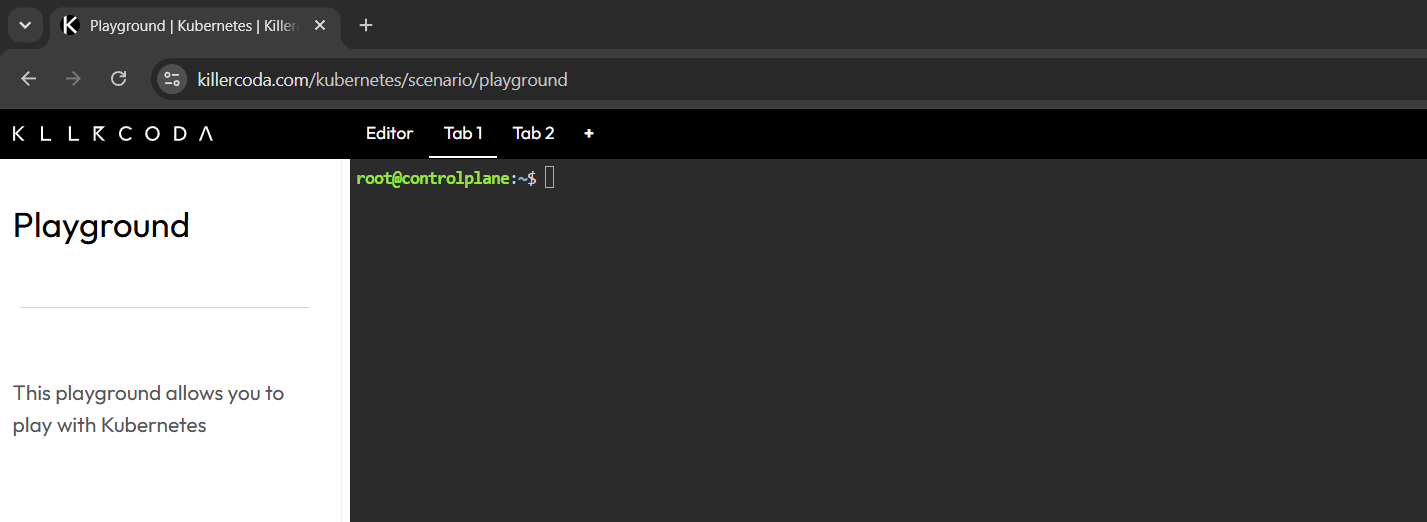
What Killercoda actually gives you
Every playground session includes:
- A full Ubuntu terminal in your browser
- Pre-installed Kubernetes (minikube, kind, or full k8s cluster)
- Root access to the environment
- 1-hour session (extendable)
- Multi-tab support (open several terminals)
Sessions are ephemeral — everything resets when time expires. Perfect for experimentation, not for persistent projects.
Available playgrounds
Killercoda has different playground types:
Kubernetes Playground
- Single-node cluster
- Best for basic kubectl practice
- URL: https://killercoda.com/playgrounds/scenario/kubernetes
Ubuntu Playground
- Plain Ubuntu, no K8s pre-installed
- Best for practicing installation from scratch
- URL: https://killercoda.com/playgrounds/scenario/ubuntu
Docker Playground
- Docker CLI ready to use
- Best for container basics
- URL: https://killercoda.com/playgrounds/scenario/docker
Kubernetes v1.x-plus scenarios
- Multi-step guided tutorials
- Great for CKA / CKAD exam prep
When to use Killercoda
Perfect for:
- Testing YAML files before running on real cluster
- Reproducing errors from documentation/tutorials
- Learning kubectl commands hands-on
- Trying a new tool without local install
- Taking screenshots for blog posts / docs
Not suitable for:
- Persistent projects (session dies)
- Long-running builds (short session)
- Anything requiring specific external service integration
- Real production workloads
Getting started (2 minutes)
- Open https://killercoda.com/playgrounds/scenario/kubernetes
- Click “Start Playground”
- Wait 30-60 seconds for cluster to boot
- Terminal appears in your browser
Verify cluster is ready:
kubectl get nodes
Should show a node in “Ready” status:
Practical uses
Test a YAML file before applying to real cluster
Common workflow:
- Write YAML locally in editor
- Copy content
- In Killercoda terminal:
cat > test.yaml <<EOF
[paste your YAML here]
EOF

kubectl apply -f test.yaml
kubectl get all
kubectl describe pod <pod-name>
- Verify the resource behaves as expected
- If broken, fix locally, repeat
- Apply to real cluster only when confirmed working
Reproduce Stack Overflow errors
When encountering a K8s error, reproduce in Killercoda to test fixes:
# Try to reproduce ImagePullBackOff
kubectl run test --image=nonexistent:tag

kubectl get pods
kubectl describe pod test
Screenshot the error. Try each proposed fix from Stack Overflow. See which actually works.
Practice for CKA / CKAD exams
Killercoda has guided scenarios matching exam topics. Since the “killer-shell” profile pages were reorganized, browse current CKA/CKAD content via the main scenario library:
- Search killercoda.com for “CKA” or “CKAD”
- Or browse creators: killercoda.com/kim-wuestkamp (author of the well-known Killer Shell simulators, which also link out to the paid killer.sh full-exam sim)
Both platforms simulate real exam questions with pre-set clusters.
Multi-terminal workflow
Click the ”+” button to open additional terminal tabs.
Common pattern:
- Tab 1: watching pods
watch kubectl get pods - Tab 2: running commands
- Tab 3: viewing logs
kubectl logs -f <pod>
All share the same cluster state.
Uploading files to Killercoda
For files too large to paste:
# From your machine
curl bashupload.com -T yourfile.yaml
Copy the returned URL. In Killercoda:
curl -O <the-url-you-got>
Now the file is in your Killercoda environment.
Common Killercoda gotchas
Session expiry: free tier caps at 1 hour per session (paid Killercoda PLUS extends to 4 hours). Save your work regularly by copying important commands/outputs to your local notes before the session ends.
Slow response: Killercoda uses shared infrastructure. During peak hours (US business hours), sessions may lag. Try during Asian/Australian evenings for smoother experience.
Cannot access external services: some outbound traffic is limited. Cannot reach every third-party API. Fine for K8s work, less flexible for full app integrations.
No persistent state: rebooting the environment loses everything. Save YAML files locally.
Alternatives to Killercoda
If Killercoda is down or crowded:
| Alternative | Free tier | Best for |
|---|---|---|
| Play with Kubernetes | 4 hours/session | Multi-node clusters |
| Play with Docker | 4 hours/session | Container focus |
| KodeKloud playground | Free tier available | Guided learning |
| AWS EKS Workshop | AWS free tier | Real EKS practice |
| GKE $300 credit | 90 days | Real GKE practice |
| Katacoda | (deprecated 2022) | Replaced by Killercoda |
Taking screenshots from Killercoda
For blog posts or documentation:
- Run your command
- Wait for output
- Windows:
Win + Shift + S(Snipping Tool) - Mac:
Cmd + Shift + 4 - Save to your project’s screenshots folder
Screenshots from real terminals are strong SEO signals (proof of hands-on work).
Learning path recommendation
Week 1: Kubernetes Playground — basic kubectl (get, describe, apply, delete)
Week 2: Guided scenarios on Killercoda — deployments, services, ingress
Week 3: CKAD scenarios — YAML manipulation, debugging
Week 4: Local minikube setup — combine what you learned with a persistent cluster
Killercoda is a bridge from tutorials to real clusters. It removes install friction so you focus on learning K8s itself.
Reproduce this yourself
Right now:
- Open https://killercoda.com/playgrounds/scenario/kubernetes
- Wait for cluster to boot
- Run:
kubectl get nodes
kubectl get pods --all-namespaces
kubectl create deployment nginx --image=nginx
kubectl expose deployment nginx --port=80
kubectl get all
You just deployed and exposed an nginx pod on a real Kubernetes cluster in your browser. No installation. No configuration. In under 2 minutes.
Bottom line
Killercoda is the fastest way to try Kubernetes commands, test YAML, and reproduce errors — without installing minikube, Docker Desktop, or any local tools.
Use it for:
- Learning
- Testing before applying to real clusters
- Taking screenshots for docs
- Practicing CKA / CKAD
Not for persistent projects. Use a local minikube or real cloud K8s for that.
DevOps YAML Pack
40+ production-ready configs — Kubernetes, Docker, Terraform, Ansible, Helm, GitHub Actions. Every file commented. Copy, edit two lines, ship. MIT license, no watermarks.
Get the pack — ₹499 →